
Billing
How to "Pay My Bill"
Pay securely online in just a few clicks. Below we'll also show you exactly where to find your invoice number.
Click here: Pay your bill
Opens Thrive's secure payment portal in a new tab.
Where's my invoice number?
On a mailed (paper) invoice
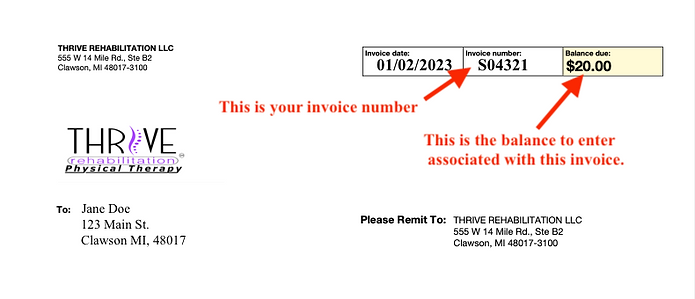
Your invoice number is in the upper right-hand corner of the page, as shown in the example. Enter it in the Invoice field; just below that is the balance owed, which goes into the Total Amount Due section.
On an emailed invoice
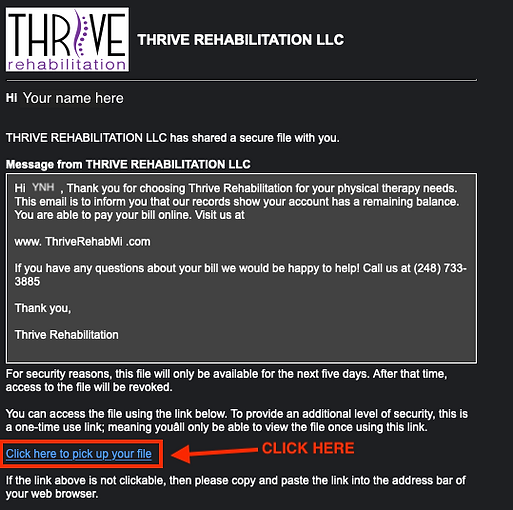
- 1. Open the email and click the secure link to open the web portal with your document.
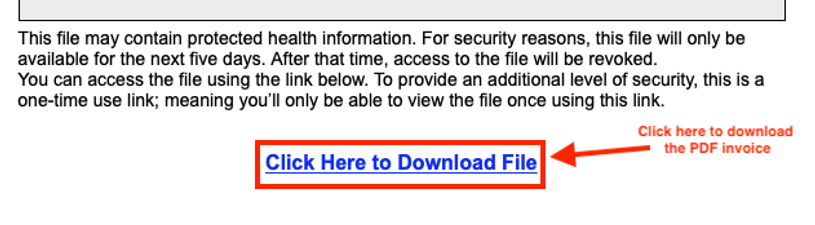
- 2. With the page open, click the download link to download a digital copy of your invoice.
- 3. The invoice number is in the upper right-hand corner — enter it in the Invoice field, and the balance owed in Total Amount Due.
Questions about your bill?
Our front office is happy to help you understand your invoice and payment options — just give us a call.